Author: Heath Waugh
Date Published: 2 March 2026
----------
TL;DR - Most AI imagery fails in the real world because of resolution, not aesthetics. Standard generative output is 1024px at 72 PPI - fine for social, unusable for print. Matter generates natively at 8K and 300 PPI without upscaling, which means the files actually survive prepress, out-of-home, and broadcast. That's what agency-safe means.
What Makes Matter’s AI Imagery Agency-Safe?
There's something about AI image generation that doesn’t get talked about enough: most of it is completely unusable for real-world commercial work.
Not because of aesthetics. Not because of copyright concerns. Because of resolution.
The typical output from generative AI platforms is around 1024 x 1024 pixels at 72 PPI. That's fine for a social post or a website thumbnail. It's nowhere near sufficient for print advertising, packaging, out-of-home, or any application where the image needs to hold up at scale.
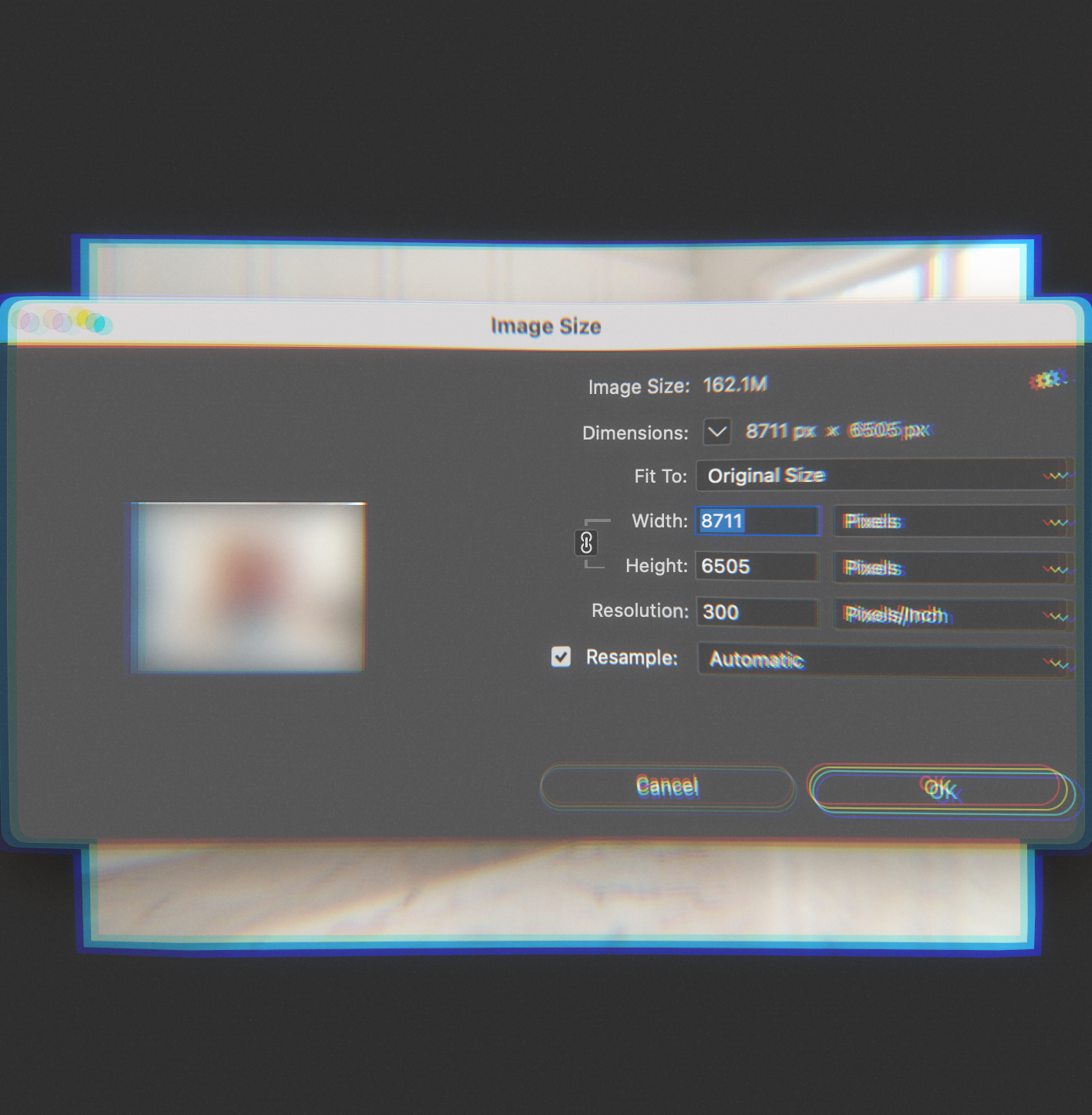
At Matter, we've developed a proprietary workflow that produces imagery at 8K resolution and above, at 300 PPI, natively. Not upscaled. Actually generated at those dimensions. This is what makes the work agency-safe: technically sound, production-ready, built to hold up wherever it needs to go.
But to understand why that matters, it helps to understand what's actually going wrong elsewhere.
The Numbers Problem
PPI stands for pixels per inch - it's a measure of how much image data exists within a given physical space. Screen resolution is typically 72 PPI. Print resolution is typically 300 PPI. That's not a minor difference; it's a fundamentally different density of information. Read the full breakdown on the Adobe site if you're interested...
A 1024 x 1024 image at 72 PPI will print at roughly 3.4 inches square at proper print quality. That's smaller than a business card. Try to scale it up for a magazine spread, a billboard, or even product packaging, and you're stretching pixels that simply don't exist. The result is soft, muddy, visibly degraded.
For context: a standard A4 print at 300 PPI requires approximately 2480 x 3508 pixels. A double-page magazine spread needs more. Out-of-home applications need significantly more. Even e-commerce imagery, if it's going to be zoomed or cropped, needs headroom that 1K resolution can't provide.
Most generative AI platforms weren't built with this in mind. They were built for screen-first applications - social content, web graphics, concept visualisation. The underlying models generate at fixed resolutions, and those resolutions assume digital delivery.
Why Upscaling Doesn't Fix It
The standard workaround is upscaling: taking a low-resolution AI output and using software to increase its pixel dimensions. This sounds like a solution. In practice, it creates new problems.
Upscalers work by interpolating - essentially guessing what additional pixels should exist based on the pixels that are already there. Some use AI themselves to make more sophisticated guesses. The results can look impressive at first glance.
But upscaling doesn't create real detail. It creates the appearance of detail. And when you look closely - or when you're working with content that demands precision - the difference becomes obvious.
Artifacts appear. Upscaling introduces visual noise, haloing around edges, and strange textural inconsistencies. These might not be visible on screen, but they show up in print. Prepress operators spot them immediately.
Details shift. This is the critical issue for product imagery. Upscalers don't just add resolution - they interpret and modify. Fine details get smoothed, sharpened, or subtly altered. Text becomes illegible. Textures change character. Product features that need to be pixel-accurate end up approximated.
Consistency breaks down. If you're producing a campaign with multiple images, upscaling each one independently means each one gets interpreted differently. Colour shifts. Textural inconsistencies. The cohesion that makes a campaign feel unified starts to drift.
For work where the product is the hero - where you need to preserve every detail of a watch face, a fabric weave, a label design - upscaling introduces unacceptable risk. You're not showing the product as it is; you're showing the product as an algorithm guessed it might be.
How Our Workflow Is Different
We don't upscale. We generate at print resolution from the start.
Our proprietary workflow produces imagery at 8K and above, at 300 PPI, natively. This isn't about running standard AI outputs through a better upscaler. It's about structuring the entire generation process differently - building images in ways that capture real detail at the resolution required for commercial reproduction.
The specifics are part of our competitive advantage, so I'll spare you the node-by-node breakdown. But the outcome is what matters: files that meet broadcast and print specifications from the start. No interpolation. No hoping the artifacts won't show. No crossing fingers at the prepress stage.
For product imagery specifically, this is non-negotiable. We typically composite real product photography into AI-generated environments. The product itself needs to be pixel-perfect - captured traditionally, at high resolution, with accurate colour. The environment can be generated, but it needs to hold up at the same resolution as the product it's surrounding. If the background falls apart under scrutiny, it undermines everything.
What Agency-Safe Actually Means
Agencies operate on trust. When you deliver assets to a client, there's an implicit promise: these are ready to use. They'll hold up in print. They'll survive prepress. They won't embarrass anyone when the billboard goes up.
AI imagery that's been generated at 1K and upscaled to print resolution violates that promise. It might look fine in the deck. It might even look fine in a proof. But somewhere in the production chain, someone's going to zoom in and see the problems. And then there's a conversation nobody wants to have.
Agency-safe means art directors can crop and reframe without running out of pixels. It means prepress won't kick it back. It means the image that was approved is the image that runs - not a degraded version that everyone hopes will be good enough.
When we deliver files, they're ready. Print-ready. Broadcast-ready. Out-of-home-ready. The assets behave like traditional photography assets, because they're built to the same specifications.
AI imagery has a reputation problem, and a lot of it comes from work that looked promising but couldn't survive contact with real production requirements. That's not a limitation of the technology itself. It's a limitation of workflows that treat commercial reproduction as an afterthought.
We don't have that problem. The work ships ready.
Heath Waugh
FAQ's
Q: Why does most AI imagery fail in professional production?
A: Resolution. Standard generative AI output is around 1024 x 1024 pixels at 72 PPI - fine for social or web thumbnails, but completely insufficient for print, packaging, out-of-home, or broadcast. A 1K image at 72 PPI prints at roughly 3.4 inches square at proper quality. That's smaller than a business card.
Q: What resolution does Matter produce imagery at?
A: Matter generates imagery natively at 8K resolution and above, at 300 PPI. Not upscaled - actually generated at those dimensions through a proprietary workflow built specifically for commercial reproduction requirements.
Q: Why doesn't upscaling fix the resolution problem?
A: Upscaling interpolates - it guesses what additional pixels should look like based on what's already there. This introduces artifacts, haloing, and textural inconsistencies that show up in print. More critically for product imagery, fine details get smoothed or subtly altered. Text becomes illegible. Product features that need to be pixel-accurate end up approximated. For work where the product is the hero, that's not acceptable.
Q: What does "agency-safe" actually mean in practice?
A: It means art directors can crop and reframe without running out of pixels. It means prepress won't kick it back. It means the image that was approved is the image that runs. Files are print-ready, broadcast-ready, and out-of-home-ready from delivery - no crossed fingers at the prepress stage.